
If you would like to book a tour or enquire about one of our homes, please click here

Activities and engagement

Eating and drinking

Future care planning

Hearing

Mobility

Phone accessibility

Sleep

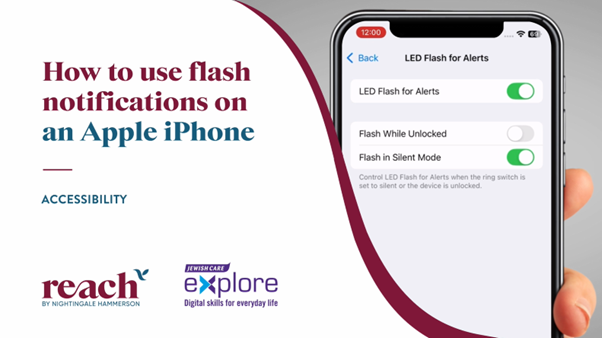
Flash notifications on an iPhone

Do you ever miss calls because you didn’t hear your phone ring? This video will show you a simple iPhone setting that makes your camera flash whenever you receive a call, text or notification.

If you are using an Android, take a look at this video.

In partnership with


01
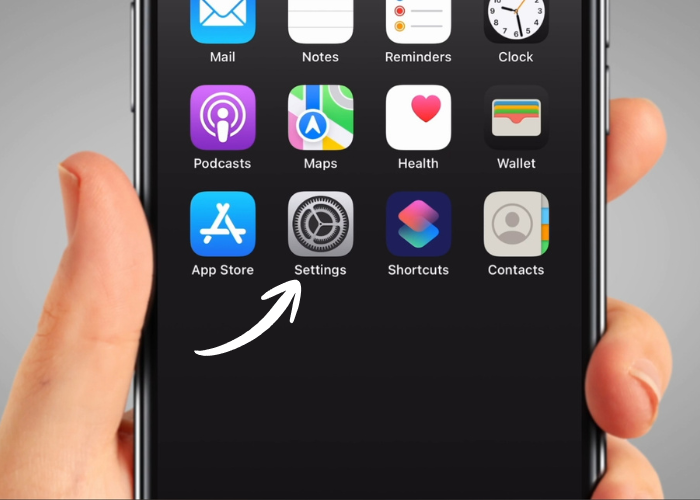
Once you have unlocked your iPhone, find the ‘Settings’ icon and tap on it. It looks like an image of a grey gear. You might need to swipe your screen to find it.
02
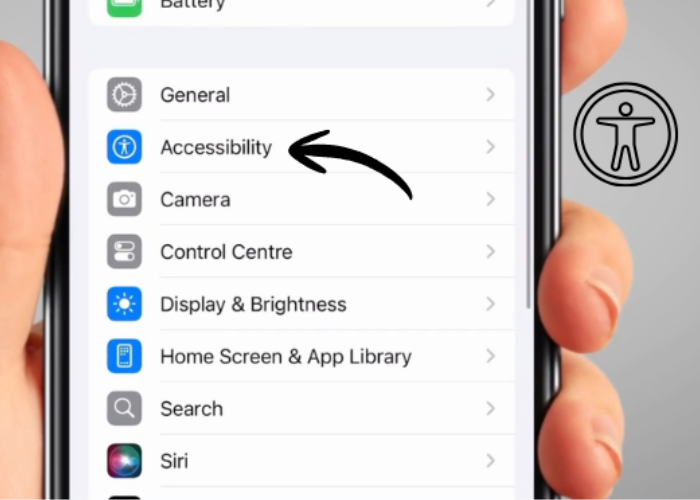
Scroll down to find ‘Accessibility’. It's blue and has a white stick man on it. Tap on it.
03
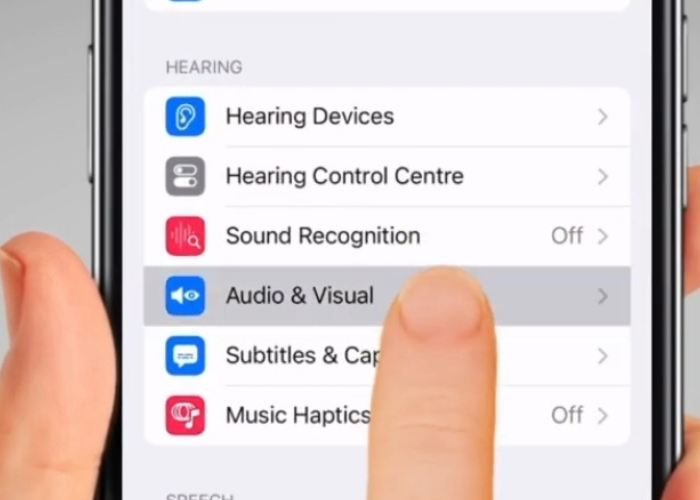
Scroll down and tap on ‘Audio & Visual’. It's under the 'Hearing' heading.
04
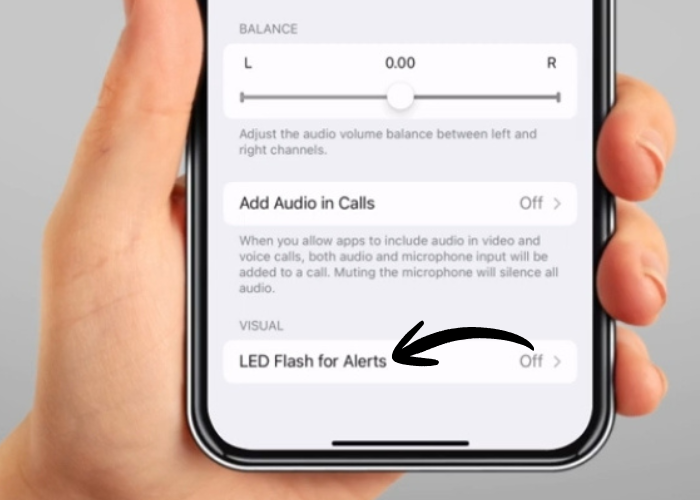
Scroll all the way down to the bottom of the page and tap on ‘LED Flash for Alerts’.
05
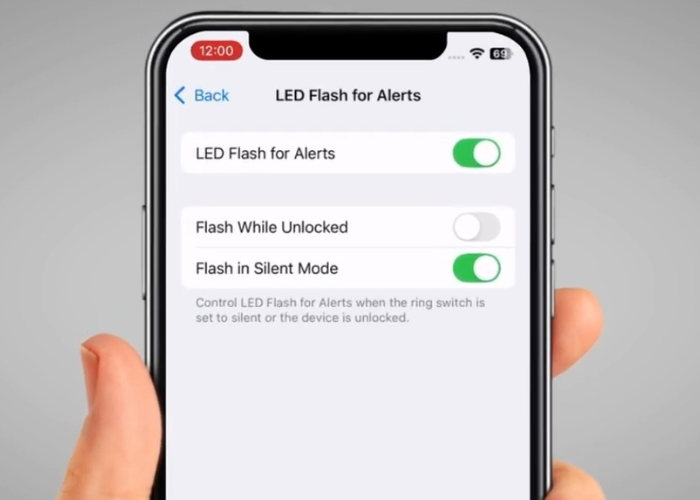
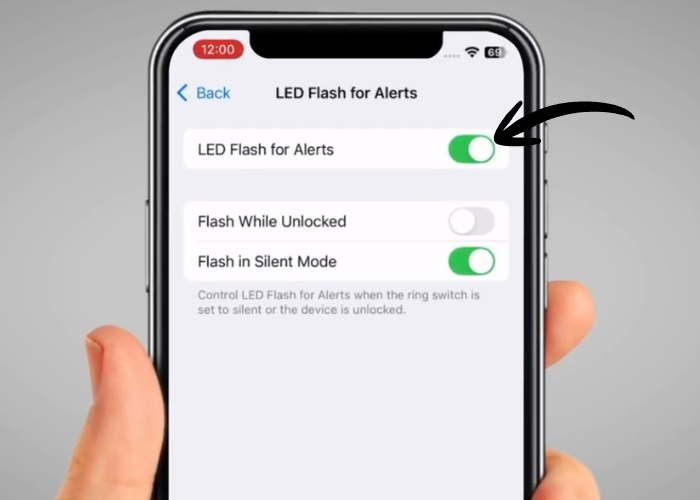
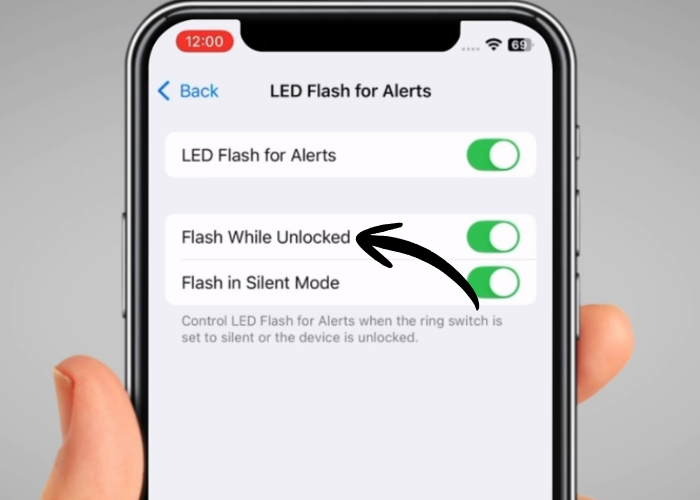
Tap on the switch for ‘LED Flash for Alerts’.
06
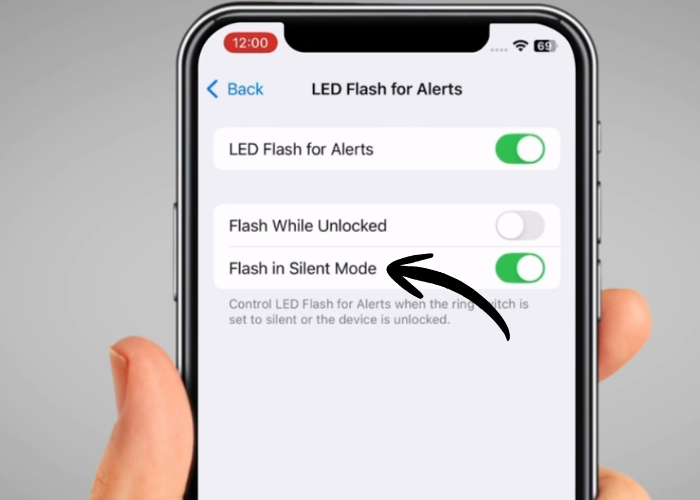
If you want your phone to flash even in silent mode, tap the switch on ‘Flash in Silent Mode’.
07
If you want your phone to flash even when you are using it, also switch on ‘Flash While Unlocked’.
08
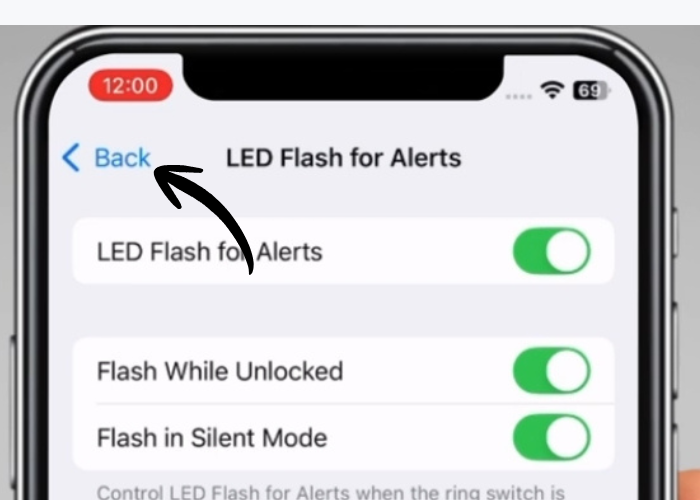
Once you have defined your settings, tap on ‘Back’ button or swipe up to return to your home screen. Your phone is now ready and the screen will flash when you get a call, a message or another notification, even if you do not hear it.

Meet our experts

Charley Landsman

Charley, with a background in teaching, has worked in both educational and community settings, specialising in helping older adults build confidence with technology. Her work has given her a real understanding of the challenges people face when learning new skills later in life, and she enjoys finding simple, practical ways to make technology feel less daunting.


She has created and delivered workshops on topics such as smartphone use, online safety, and everyday digital tools, always adapting her approach to suit different abilities and learning styles. Charley joined JC Explore in 2024, bringing with her a patient, approachable teaching style and a passion for making technology accessible to everyone.

Max Bianconi

Max has worked in the health and social care setting for the past twenty years, gaining extensive experience in supporting individuals and groups in residential and community settings across various roles.
Currently, Max manages JC Explore, a service that provides digital skills training for everyday life using mainstream and assistive technology. In addition to his role, Max serves as a trustee at the Karten Network, a charity dedicated to enhancing the quality of life and independence of adults with congenital or acquired physical, cognitive, sensory, learning disabilities, or mental health issues through a network of IT centres.
Max is passionate about assistive technology and its impact on people’s lives. He believes that promoting independence and social inclusion leads individuals to a more meaningful life.

Was this useful? Please let us know

The resources available are not, and are not intended to be, medical advice, which should be tailored to your individual circumstances.  The resources are for your information only, and we advise that you exercise your own judgment before deciding to use the information provided. Professional medical advice should be obtained before taking action. Full terms and conditions